
Introduction
Online scams have become smarter, more realistic, and harder to spot than ever before. I’ve personally seen educated, careful people fall for scams simply because the message looked “almost real.” From fake bank alerts to job offers that seem too good to be true, scammers know exactly how to trigger fear, urgency, or excitement.
Learning how to identify online scams is one of the most important digital safety skills today. Scammers don’t target only beginners—they target anyone who isn’t paying attention for just a few seconds. This guide breaks down real-world scam examples, common red flags, and simple habits that can protect you before damage is done. No technical jargon—just clear, practical advice you can apply immediately.
What Is an Online Scam?
An online scam is any deceptive activity where attackers trick users into:
Sharing personal information
Sending money
Clicking malicious links
Installing harmful software
Scammers rely on social engineering, not hacking skills.
Most Common Types of Online Scams
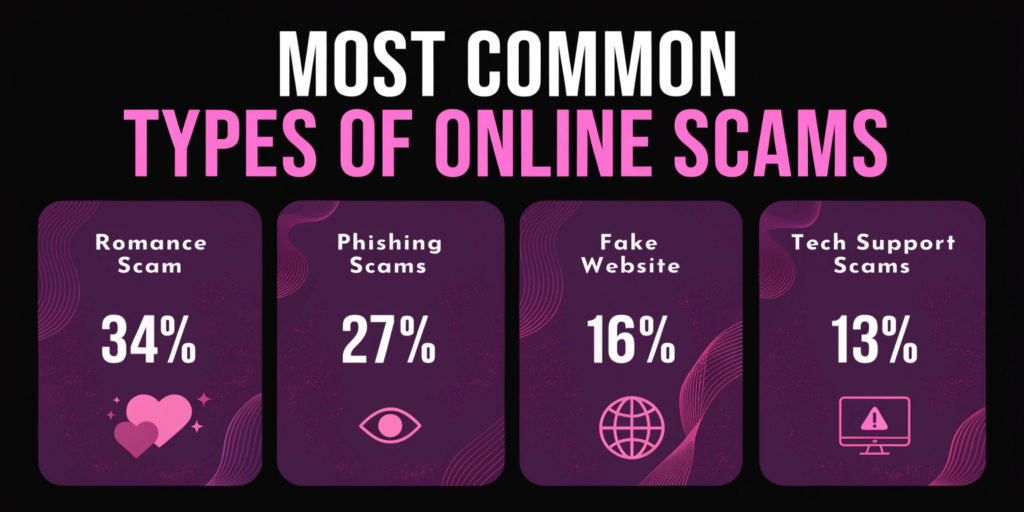
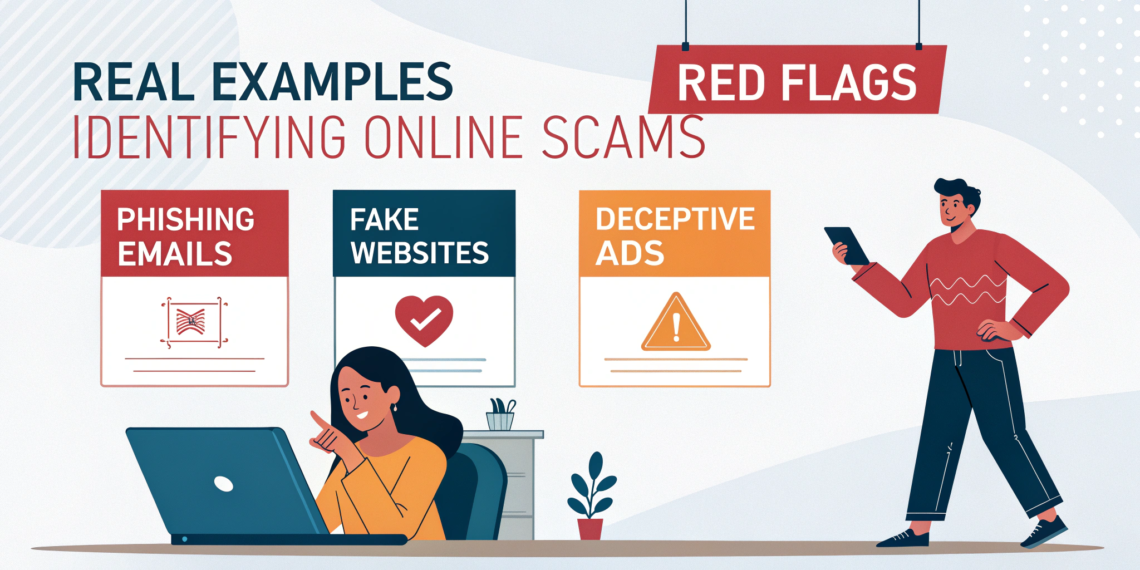
Phishing Emails & Messages
Fake emails pretending to be banks, companies, or services.
Example:
“Your account will be suspended in 24 hours.”
Fake Job & Freelance Offers
Scammers promise easy money for little work.
Red flag:
They ask for “registration fees” or personal documents.
Online Shopping Scams
Fake websites selling branded products at unrealistic prices.
Tech Support Scams
Pop-ups claiming your device is infected.
Internal link: Best Antivirus Software for Windows 11
Romance & Social Media Scams
Fake profiles build trust, then ask for money.
From real cases, these scams often last weeks before the first request.
How to Identify Online Scams (Key Red Flags)
Urgent or Threatening Language
Scammers pressure victims to act fast.
Requests for OTPs, Passwords, or Codes
Legitimate companies never ask for this.
Suspicious Links & Email Addresses
Check spelling carefully.
Example:
paypa1.com instead of paypal.com
Too-Good-To-Be-True Offers
High rewards with zero effort = scam.
Poor Grammar & Generic Greetings
“Dear Customer” instead of your real name.
How to Protect Yourself from Online Scams
Tip 1: Always Verify Before You Trust
Check official websites or contact support directly.
Tip 2: Never Click Links from Unknown Sources
Type website addresses manually instead.
Tip 3: Enable Two-Factor Authentication
Adds extra security even if credentials leak.
Internal link: How to Protect Personal Data Online
Tip 4: Use Antivirus & Browser Protection
Antivirus blocks malicious websites automatically.
Tip 5: Educate Family Members
Scammers often target elderly and students.
What NOT to Do If You Suspect a Scam
Don’t reply to scam messages
Don’t share screenshots publicly
Don’t send money “to test”
Don’t panic
Calm thinking prevents most losses.
What to Do If You’ve Been Scammed
Change all passwords immediately
Contact bank/payment service
Scan device for malware
Report scam to authorities
External reference: FTC Scam Reporting
FAQs
Q1: How can I quickly check if a message is a scam?
Look for urgency, poor grammar, and suspicious links.
Q2: Are WhatsApp and SMS scams common?
Yes, scammers frequently use messaging apps.
Q3: Can antivirus stop scams?
It helps but awareness is the best defense.
Q4: Should I report online scams?
Yes, reporting helps protect others.
Q5: Are job offers on social media safe?
Only if verified through official company channels.